System Architecture (JOpt Platform)
Last updated: 2026-02-10
This page explains the technical architecture behind the JOpt platform: how the Java core is designed, how it becomes a reactive REST service, how the OpenAPI schema is generated from the snapshot model, and how the sandboxes and build pipelines fit into the overall delivery chain.
This is intentionally the “how it is engineered” view. Docker commands and onboarding steps live in Quickstart and Getting Started.
1) JOpt products in the hub
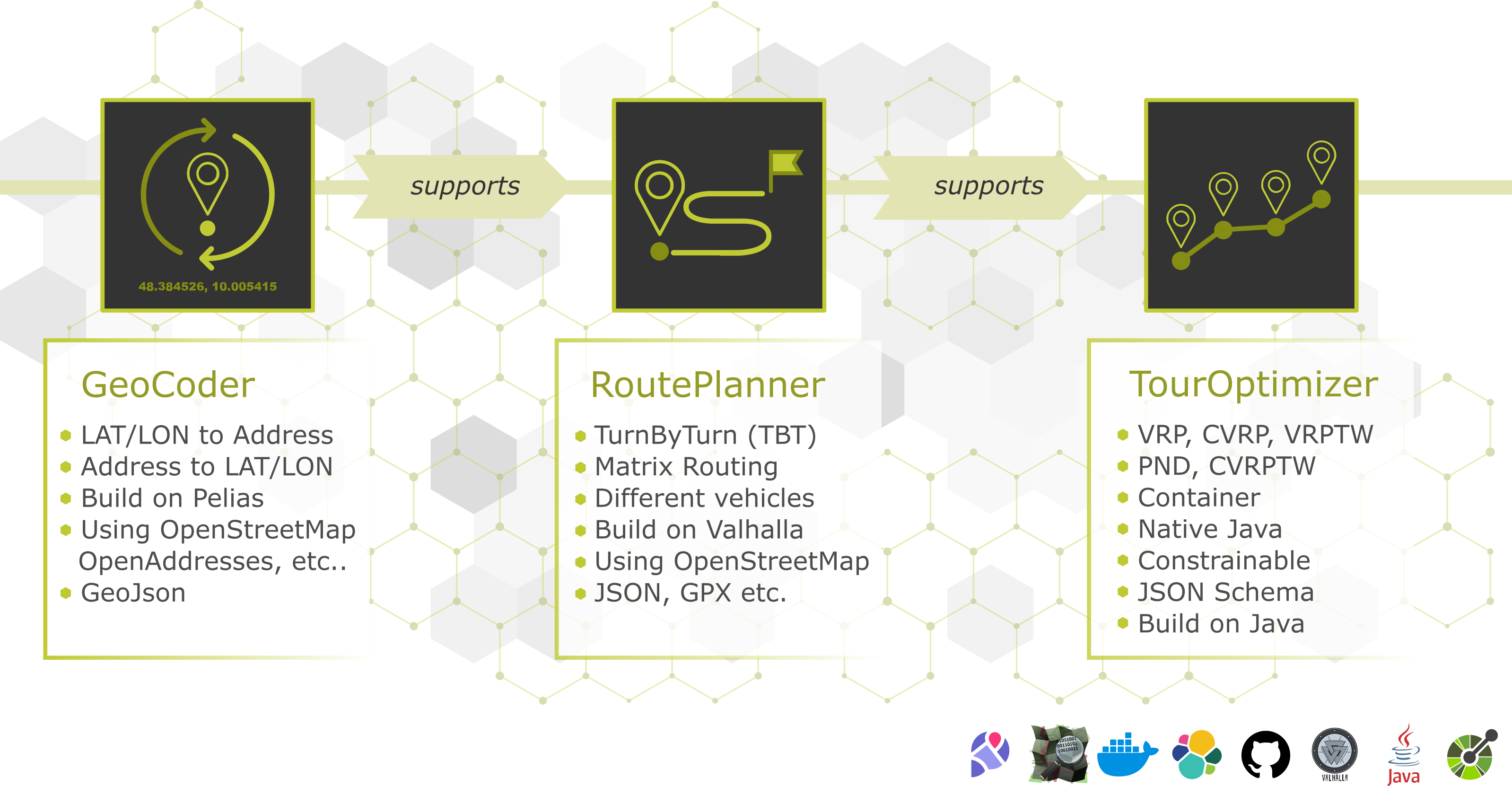
The Documentation Hub covers three products:
- JOpt.TourOptimizer — optimization engine for routing, scheduling and resource planning.
- JOpt.RouterPlanner — routing / travel-time planning layer used to obtain realistic distances and durations.
- JOpt.GeoCoder — geocoding and geo-referencing layer (addresses → coordinates / geo IDs).
2) Core principle: reactive, non-blocking execution
2.1 Java optimization core
The JOpt.TourOptimizer Java library is designed for modern JVM workloads and uses reactive patterns and stream-based processing (ReactiveX / Streams) to support:
- event-driven progress reporting,
- efficient pipelines for large instances,
- clean composition of optimization phases,
- and integration into non-blocking service architectures.
This matters because enterprise optimization is often executed in platform environments where concurrency, resource isolation, and predictable throughput are required.
2.2 REST service packaging (Spring WebFlux)
The TourOptimizer can be exposed as a Spring WebFlux application (reactive stack). The goal is to avoid blocking I/O in the service layer and support scalable concurrency:
- Spring WebFlux: reactive HTTP handling
- Non-blocking execution: avoid thread starvation under load
- Streaming-friendly: well suited for progress/status APIs and asynchronous job control
3) Snapshot model as the single source of truth
3.1 What is a snapshot?
A snapshot is the portable JSON representation of:
- inputs (nodes, resources, constraints, properties),
- and optionally outputs (routes, timings, costs, reports).
Snapshots are used for:
- reproducibility and regression testing,
- persistence/auditing (“why did we produce this schedule?”),
- compatibility across SDK and REST integrations.
3.2 Schema generation pipeline (Java → OpenAPI/Swagger)
A key architectural choice:
The Swagger/OpenAPI schema shown in the REST service is directly derived from the snapshot definitions inside the Java library.
How it works (conceptually):
- the snapshot model classes are annotated,
- OpenAPI tooling reads those annotations,
- the REST service publishes the resulting OpenAPI schema,
- clients (Java/Python/C#) can generate models that match the snapshot contract.
This ensures:
- contract consistency between SDK and REST,
- minimal drift and fewer integration surprises,
- clear versioning and compatibility management.
Get the OpenAPI schema & Live Testing
You can download the latest OpenAPI schema on our live API Testing page. The testing is done against one of our test servers.
4) Reference runtime architectures
JOpt.TourOptimizer can be used as embedded Java SDK or REST/OpenAPI service (any client).
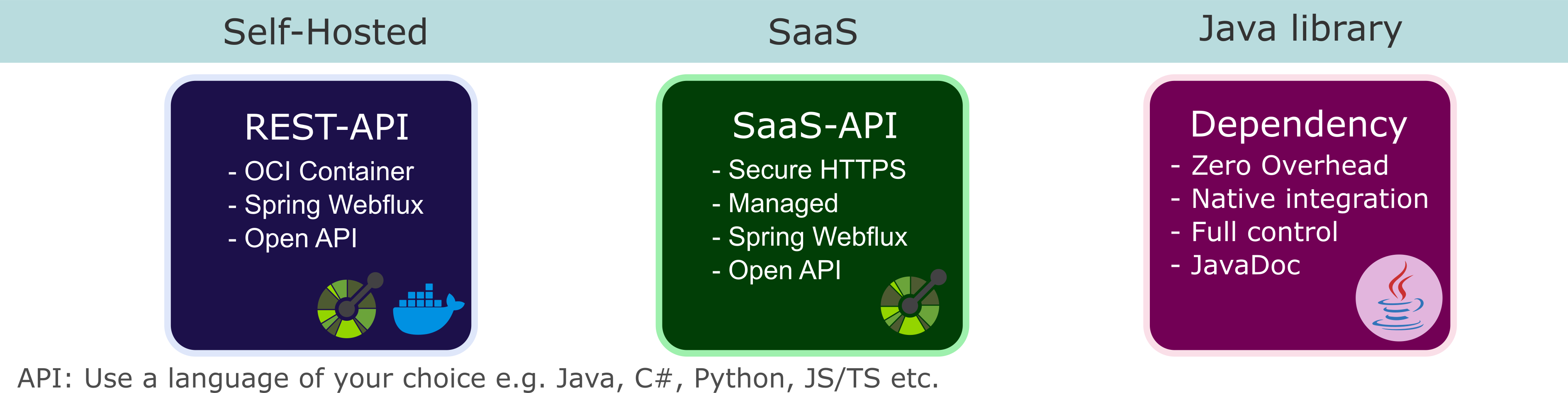
4.1 Embedded Java SDK (in-process)
Use when you want maximum control and lowest latency.
Flow:
- Your Java application builds the snapshot/model in memory
- The JOpt core executes optimization
- Results/reports are consumed directly without network overhead
Typical use cases:
- embedded optimization services
- Java-centric products
- research/prototyping where you need deep hooks
4.2 REST/OpenAPI service (any client)
Use when you integrate from any technology stack.
Flow:
- Client creates snapshot payload
- Client calls TourOptimizer REST endpoint
- Service runs optimization (reactive WebFlux layer)
- Client receives status/progress/result via REST
Typical use cases:
- microservice architectures
- multi-language platforms
- web/mobile clients and integration middleware
5) RouterPlanner and GeoCoder implementation notes
5.1 RouterPlanner
For JOpt.RouterPlanner, production deployments typically rely on Valhalla builds to deliver routing and travel-time planning at high performance.
5.2 GeoCoder
For JOpt.GeoCoder, production deployments typically leverage Pelias builds for geocoding and geo-referencing.
Current availability: RouterPlanner and GeoCoder are primarily provided as SaaS components. If you want access or a dedicated deployment model, contact DNA Evolutions.
6) Sandboxes and example distribution
6.1 GitHub examples as learning backbone
All examples are hosted on GitHub and mirrored in the Documentation Hub as “Learn & Explore” pages:
- Base / Advanced / Expert examples
- a dedicated Markdown page for each example with purpose + scenario + how to run + interpretation guidance
6.2 CodeServer sandboxes (optional)
The optional “sandbox” environments are based on CodeServer (browser IDE). They exist to reduce onboarding friction:
- open in browser
- run and modify examples immediately
- persist changes via mounted volumes
Sandboxes do not replace cloning the repositories — they accelerate first contact and workshops.
7) Build and delivery pipeline
7.1 CI/CD
Production builds are created and managed via Bitbucket pipelines (CI/CD), producing:
- versioned Java artifacts,
- SonarQube analysis
- container images for service deployments,
- and deployable packages for sandbox images and related tooling.
And uploads to nexus at nexus.dna-evolutions.net.
7.2 Hosting targets
JOpt services are commonly hosted across different environments depending on customer requirements, including:
- Azure
- IONOS
- and other enterprise hosting providers / on-prem deployments
8) Operational characteristics (why this architecture works)
This architecture is designed to support enterprise constraints:
- Contract stability: snapshot model → schema → generated clients
- Scalability: WebFlux reactive service layer for high concurrency without blocking
- Reproducibility: snapshots persistable, replayable, and comparable
- Extensibility: SDK hooks and advanced features allow customer-specific constraints and objectives
- Deployment flexibility: embedded SDK or service-based integration
9) Next steps
- Getting Started
- Quickstart (sandboxes + docker commands)
- API Reference & Live Testing
- GeoCoder / RouterPlanner access: Contact DNA Evolutions
Legacy Distance and Time Matrix: LegacyDistanceMatrixAndTimeMatrixExample
This example shows the legacy way to pass precomputed distances and driving times to the optimizer: as a distance matrix and a time matrix, with a matrix index on each node. The methods it uses are deprecated in the current core. For new code, use a node connector instead (see ExternalNodeConnectionExample); the toString() of the example says the same: "Defining a time and distance matrix. (Legacy - use NodeConnector instead)".
Linux - JOpt TourOptimizer on Linux
Local and on-premise hosting of JOpt TourOptimizer on Linux systems