Getting Started - Onboarding

This guide helps you reach a first successful run with JOpt in the fastest, least confusing way and points you to the right next steps.
JOpt is available in two consumption models:
- Java SDK (via dependency): Run the optimizer directly as a Java dependency (best for learning and full feature coverage). Jump to Option A to get started.
- REST / OpenAPI (service): Call TourOptimizer as a service from any client language (Java, Python, C#, …). Jump to Option B to get started.
AI Assistant
To ask anything about the docs and get custom examples, visit our JOpt AI Assistant (GPT).
Free license
You can get our free evaluation license here.
Quickstart Sandboxes
For copy/paste Docker commands, use the Quickstart Sandboxes.
1) First run (recommended): Java SDK Examples
Read the basics
Basic Elements: The basic elements of JOpt and the nomenclature.
Why start with Java SDK?
- Maximum feature coverage (Base → Advanced → Expert examples)
- Best way to understand how models are built and how constraints interact
- No REST endpoint required (runs in-process)
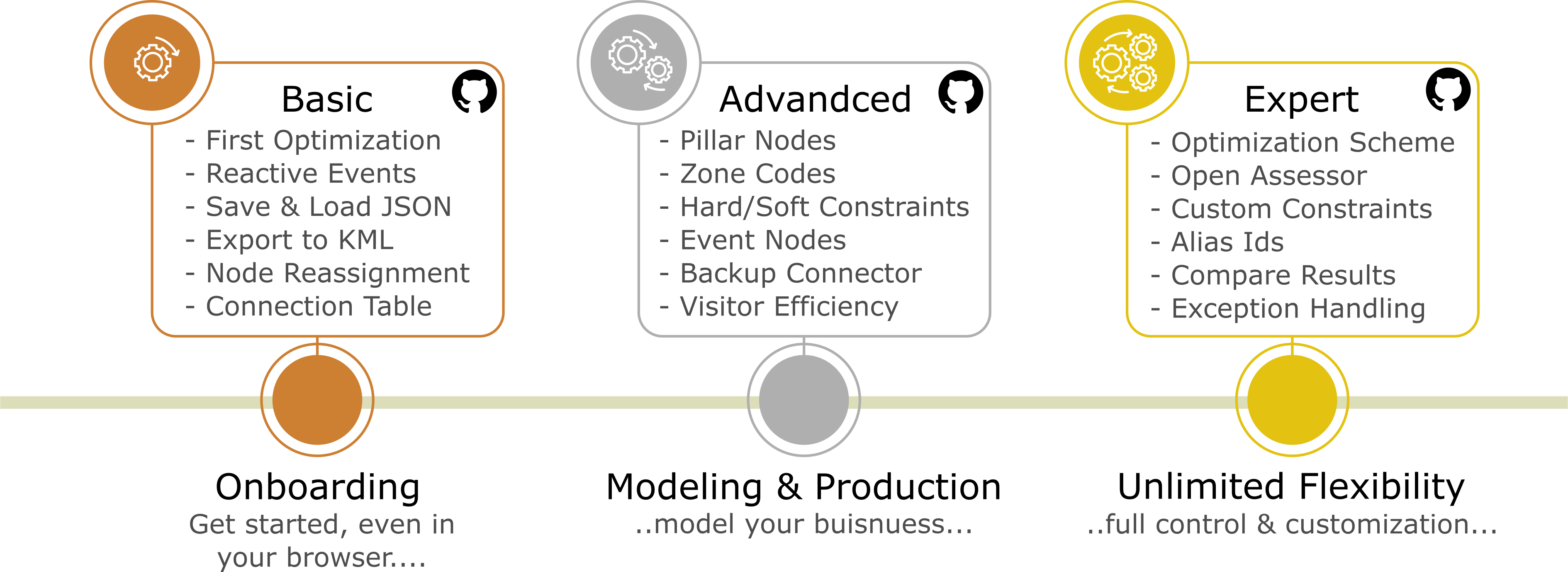
Choose your environment
Option A — Clone into your IDE (recommended for developers)
Follow these steps to get the examples running locally. Dependencies will be resolved automatically via Maven.
- Clone the repository:
- Access the repository at github.com/DNA-Evolutions/Java-TourOptimizer-Examples or use the terminal commands below.
- Open in your IDE
- Import the project into IntelliJ IDEA, Eclipse, or VS Code as a Maven project.
- Run an Example
- Locate any class containing a main() method and run it to see the optimizer in action.
Terminal Commands (if needed):
| Method | Command |
|---|---|
| HTTPS | git clone https://github.com/DNA-Evolutions/Java-TourOptimizer-Examples.git |
| SSH | git clone [email protected]:DNA-Evolutions/Java-TourOptimizer-Examples.git |
| GitHub CLI | gh repo clone DNA-Evolutions/Java-TourOptimizer-Examples |
What's next?
Proceed with our basic examples, learn more about basic elements or read our tutorial about your first optimization.
Option B — Use the browser sandbox (CodeServer)
If you don’t want to install Java/Maven/IDE yet, use the optional CodeServer sandbox. Everything will be downloaded and set up automatically.
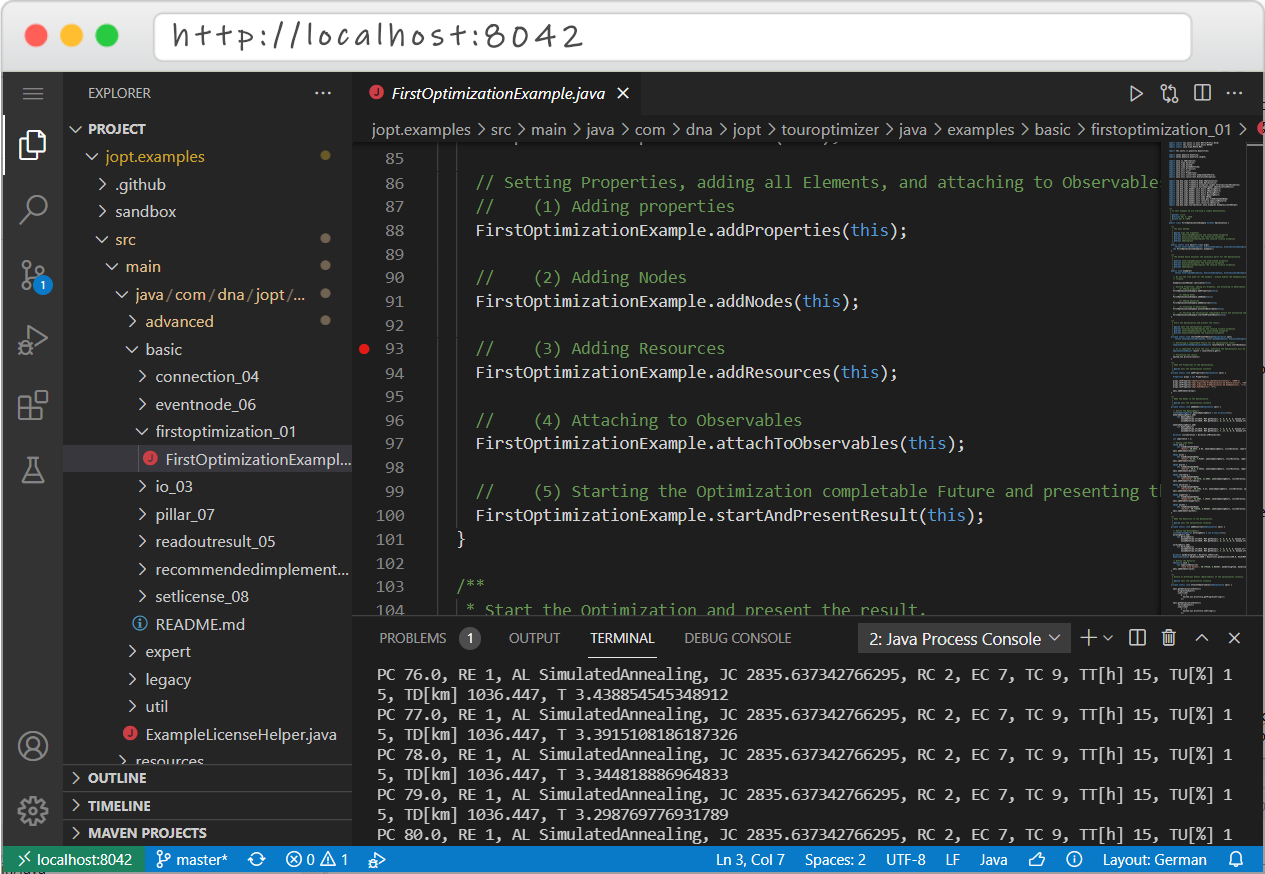 CodeServer preview
- Start command + password: see Quickstart Sandboxes
What success looks like
You should see:
- an executed optimization run (no exceptions),
- a result object / report,
- and at least one route containing an ordered node sequence.
Next, open the Base Examples pages in the hub and follow an example of your choice, for example First Optimization. The First Optimization Example has a first-optimization whitepaper.
2) Using any other language: REST endpoint + client examples
If you want to use JOpt from Python, C#, Java (generated client) or any other stack, use the REST integration.
The required architecture
- TourOptimizer REST endpoint (backend service)
- Client examples repo in your language (frontend/client)
The client repos are intentionally “thin” — they teach request creation, submission, and result parsing.
The backend endpoint does the actual optimization.
Step-by-step
Step 1 — Start a local TourOptimizer REST endpoint
Use the backend service repo:
Start it via Docker using the command from Quickstart Sandboxes.
Once running, Swagger UI is typically available at:
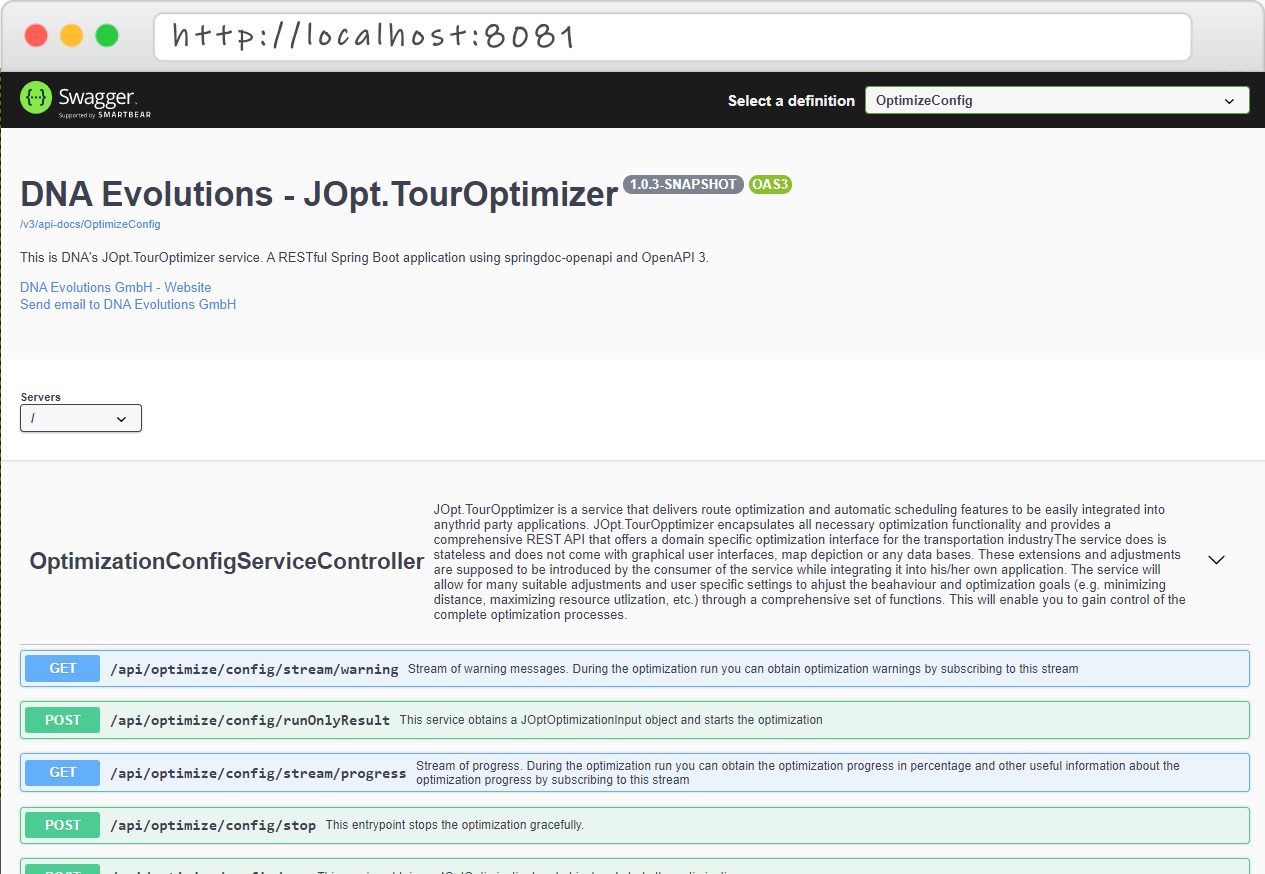 Swagger Endpoint UI
Step 2 — Choose a client repo (clone or sandbox)
- Java REST Client Examples: https://github.com/DNA-Evolutions/Java-REST-Client-Examples
- Python REST Client Examples: https://github.com/DNA-Evolutions/Python-REST-Client-Examples
- C# REST Client Examples: https://github.com/DNA-Evolutions/C-Sharp-REST-Client-Examples
Each repo contains:
- the recommended endpoint configuration pattern,
- and documentation on how the OpenAPI client models are generated/updated.
Step 3 — Configure the endpoint correctly
If your client runs inside a sandbox container and the REST endpoint runs on your host, use:
http://host.docker.internal:8081
Do not use http://localhost:8081 inside the sandbox (that points to the container itself).
Tutorial videos
- Java SDK sandbox tutorial (Youtube)
- TourOptimizer as a service (REST) — Part 1 (Youtube)
- TourOptimizer as a service (REST) — Part 2 (Youtube)
- Angular Demo App Tutorial (Youtube)
3) RoutePlanner and GeoCoder (current availability)
JOpt.RouterPlanner and JOpt.GeoCoder are currently offered primarily as SaaS components.
If you want to:
- geocode large address corpora (GeoCoder), or
- use hosted routing / travel-time planning (RouterPlanner),
please contact us to discuss access, tenancy, and integration options:
Next steps inside the Documentation Hub
After your first run, we recommend this reading order:
- Feature List (capability map): The features JOpt.TourOptimizer supports as a sorted list or as atlas.
- Base Examples: Fundamentals and core modeling patterns
- Advanced Examples: Real-world constraints and feature combinations
- Expert Examples: Customization hooks, performance strategies, deep integration patterns
Troubleshooting checklist
- REST endpoint running and reachable (check Swagger UI)
- Correct endpoint inside Docker (
host.docker.internal) - You are using the right repo for your integration model (SDK vs REST)
- Start with Base Examples before jumping into complex constraints